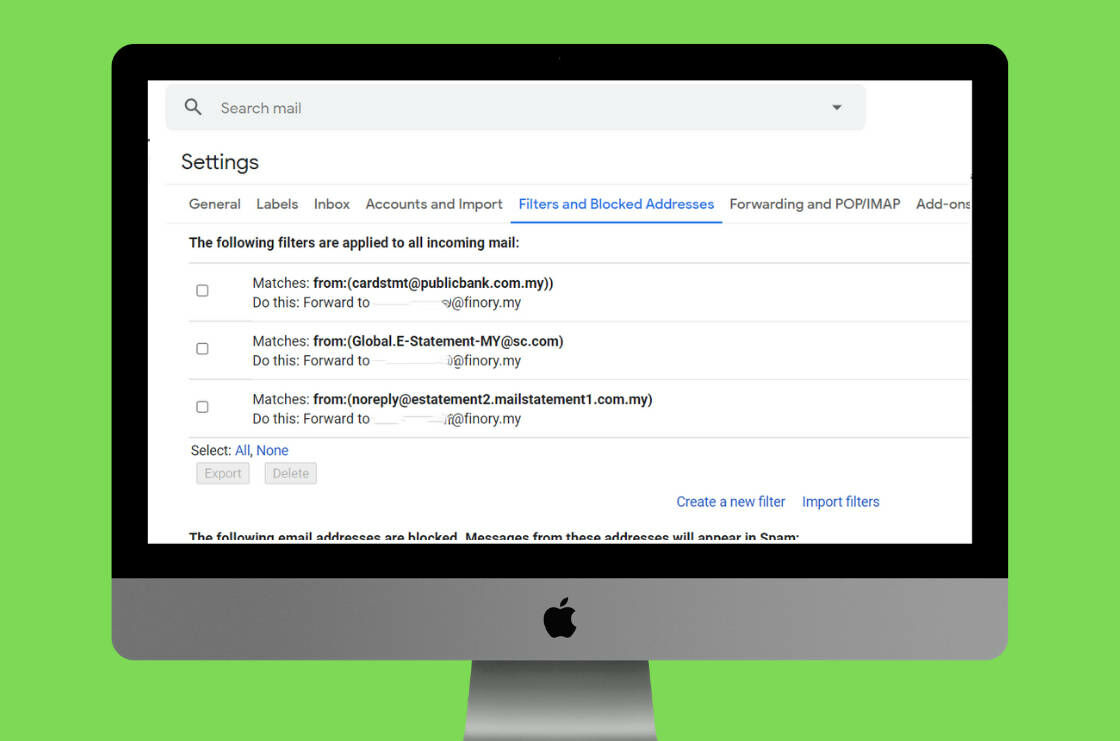
You will need to click an "Activate" button at the Auto Forward icon on the Homepage.
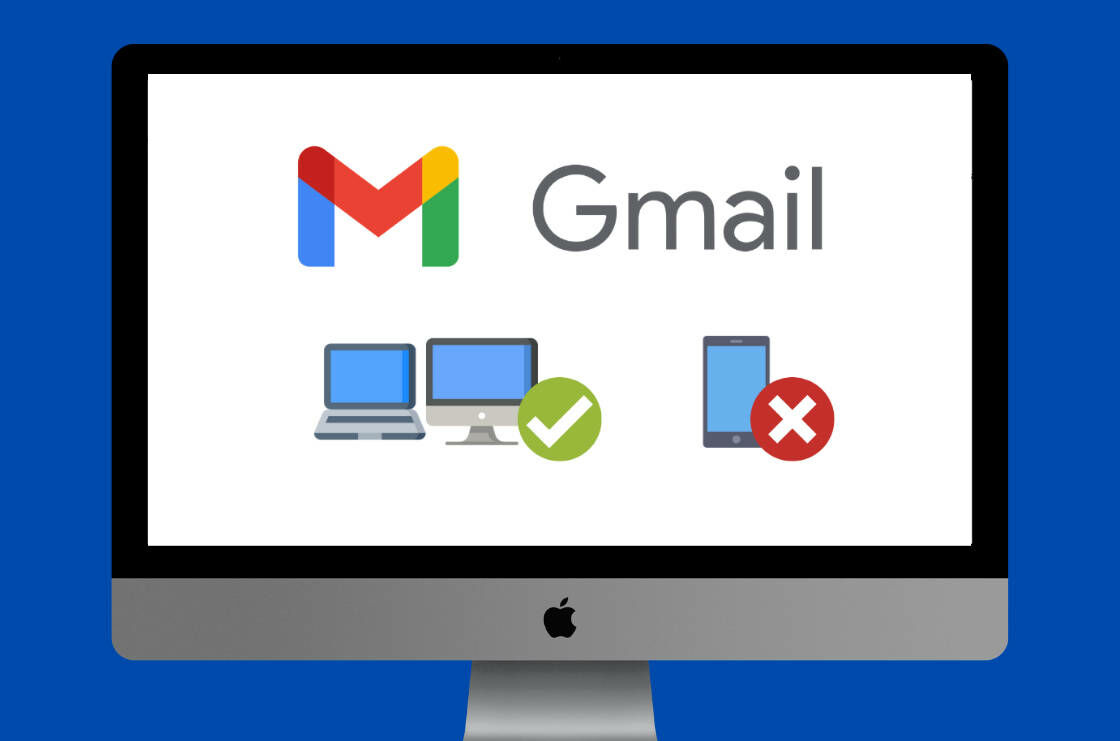
Step 1: Open Gmail from desktop/laptop (Gmail mobile app not supported)
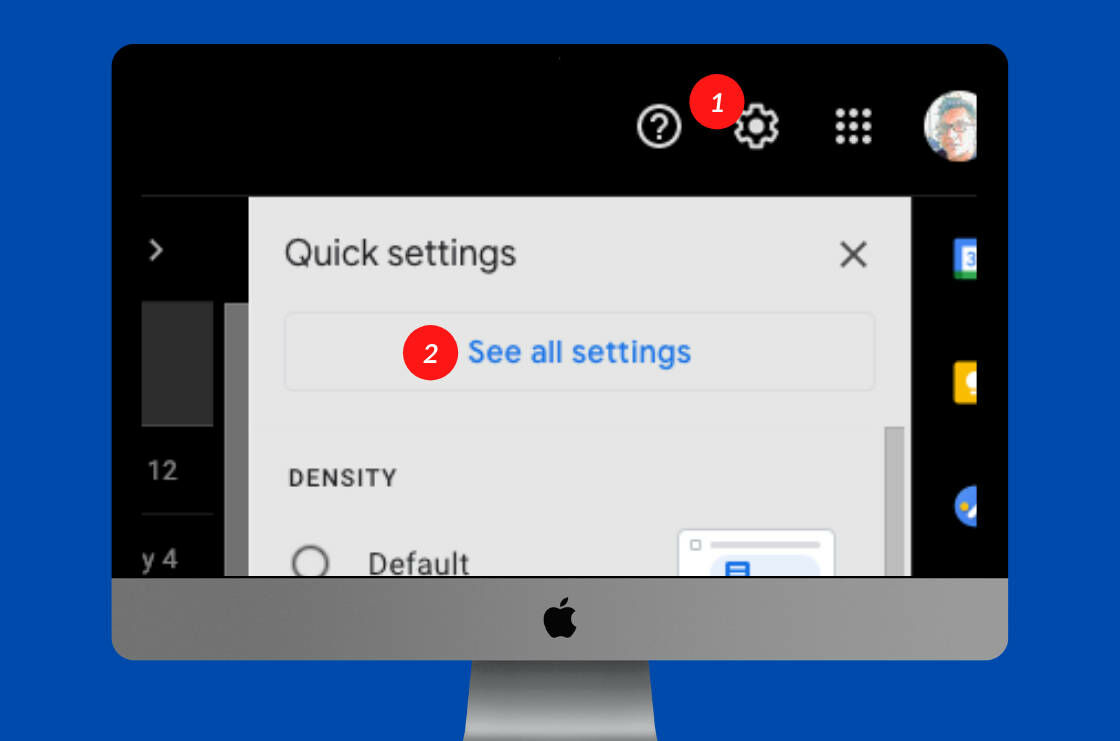
Step 2: Open Settings - Click the "gear icon" in the top right corner.
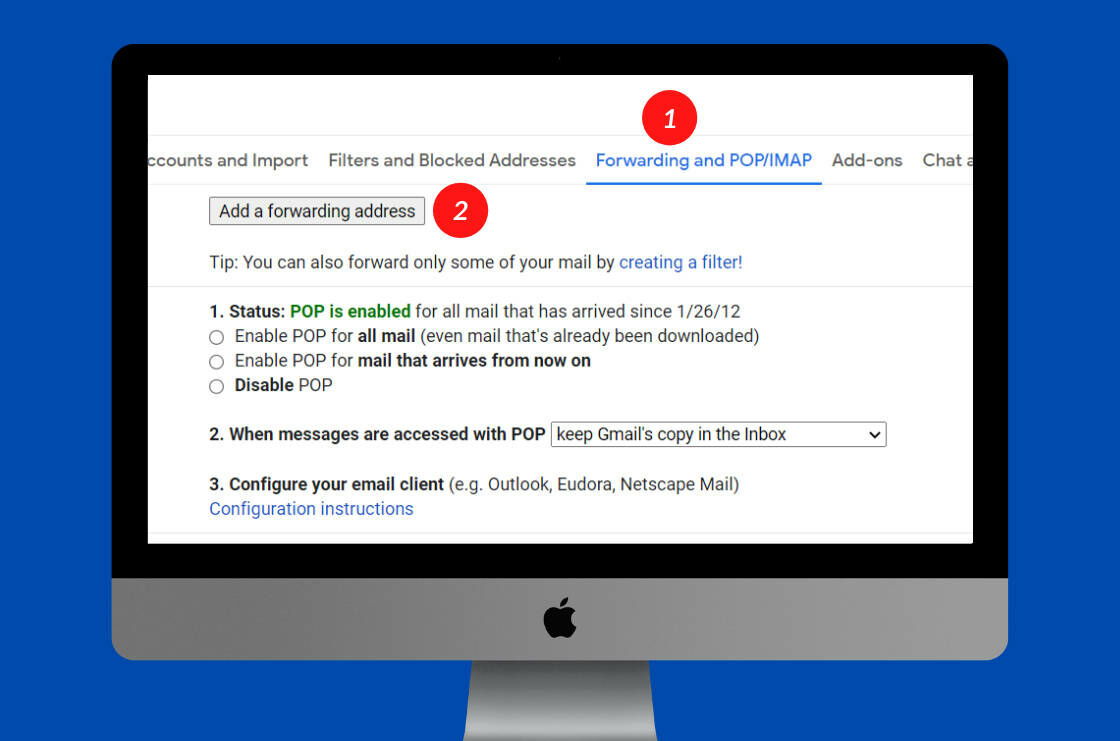
Step 3: Add a forwarding address.
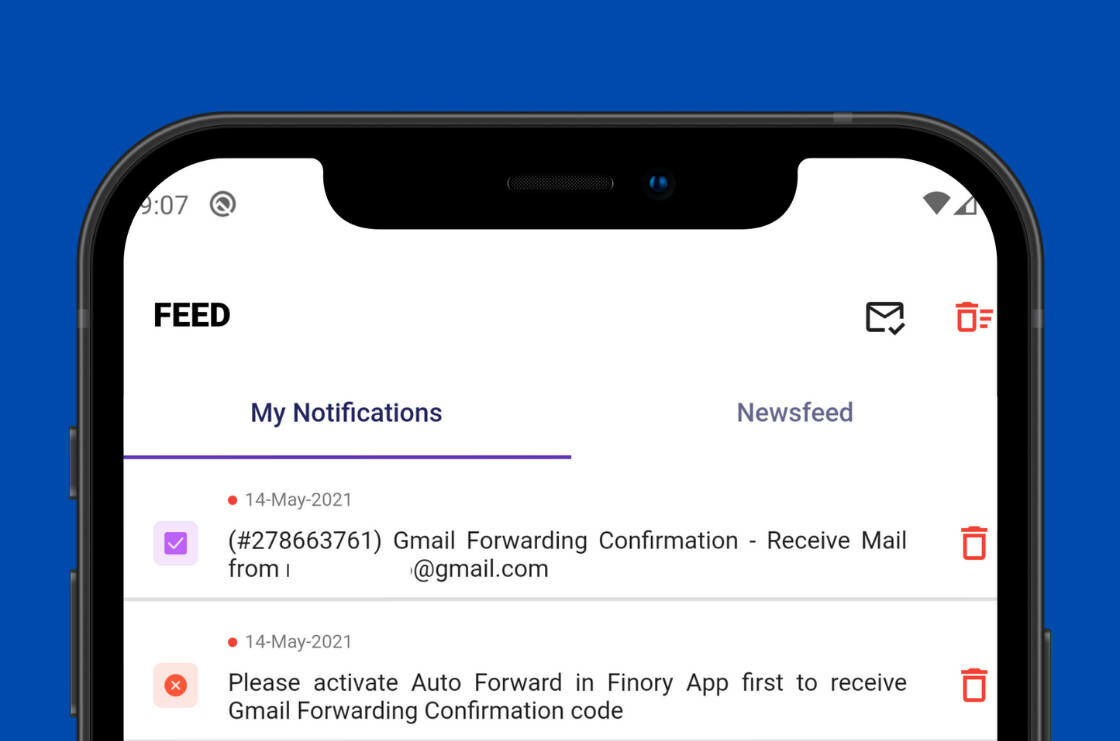
Step 4: Receive the confirmation code on Finory app.
Before you can receive the verification code, you will first need to finish the Tutorial and activate Auto Forward.
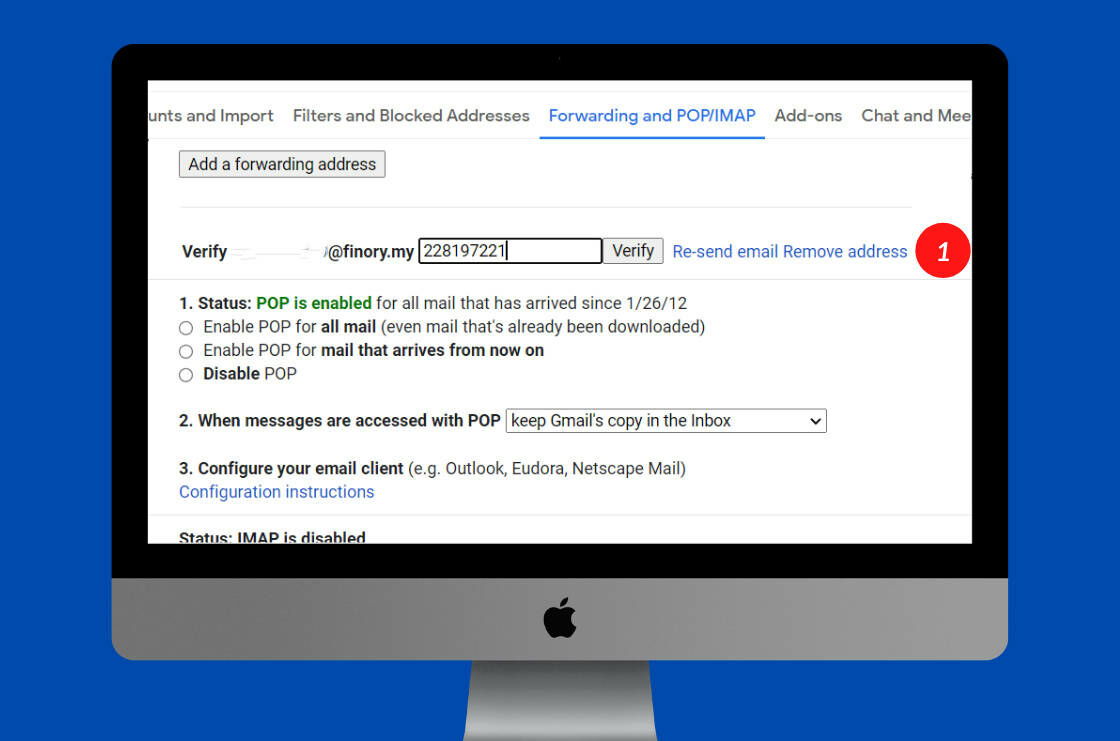
Step 5: Key in the verification code.
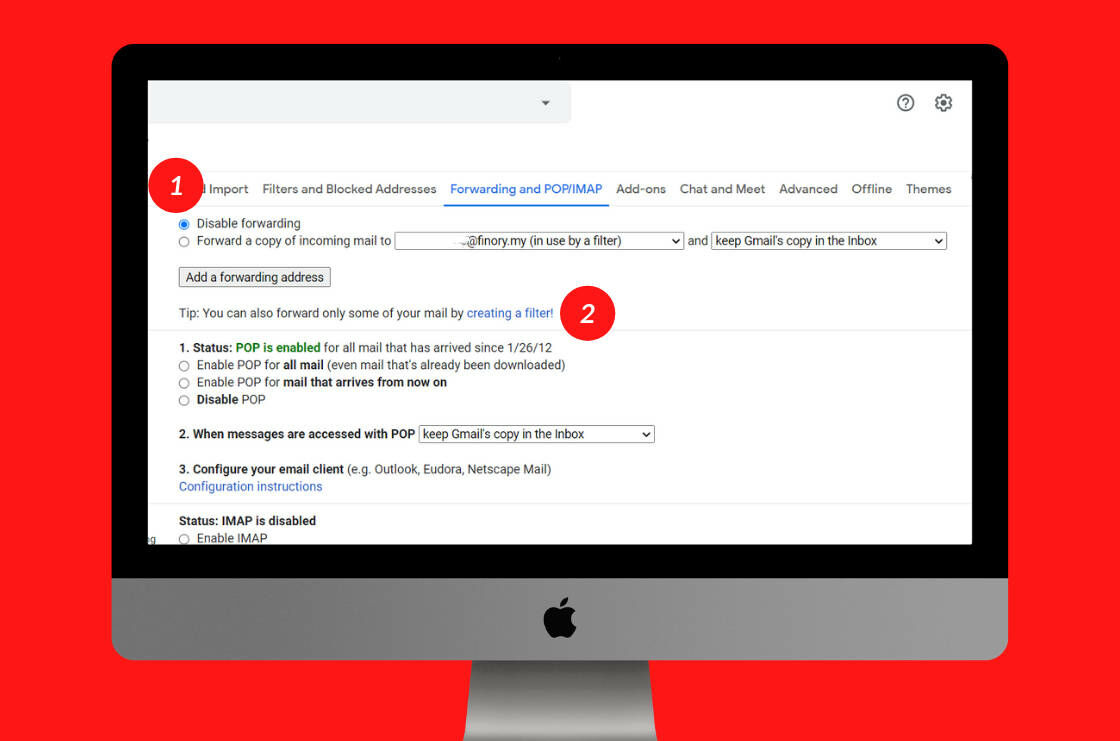
Step 6.1: IMPORTANT - Click Create a Filter, and make sure to Disable Forwarding.
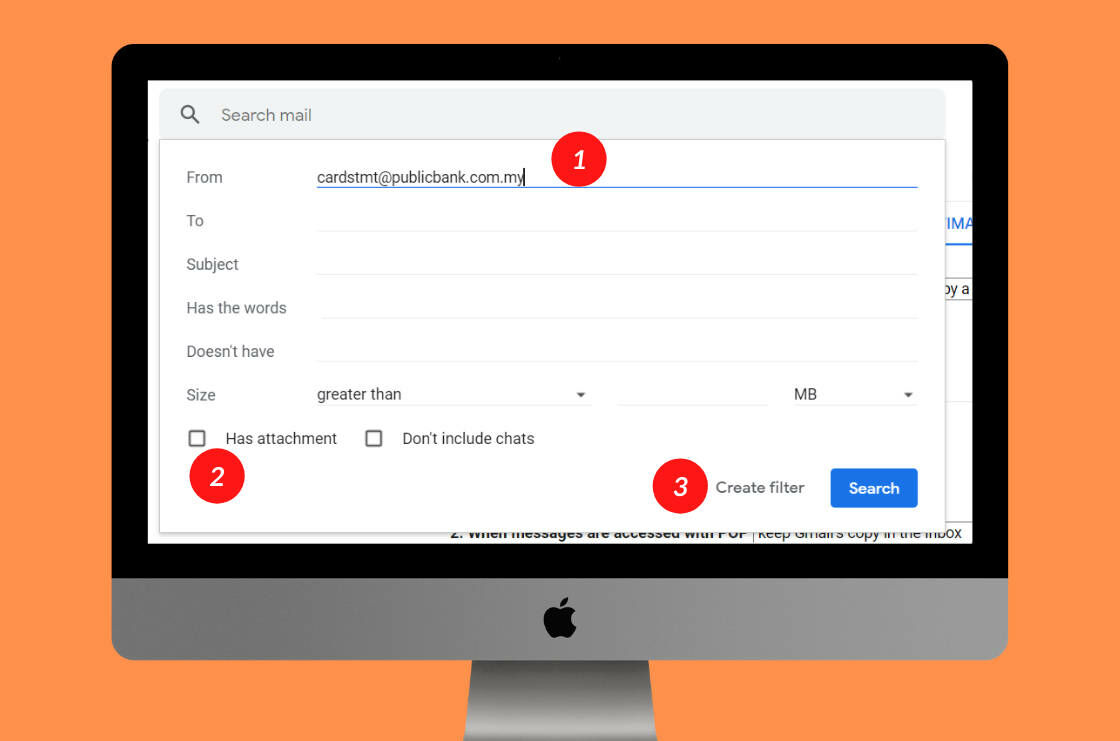
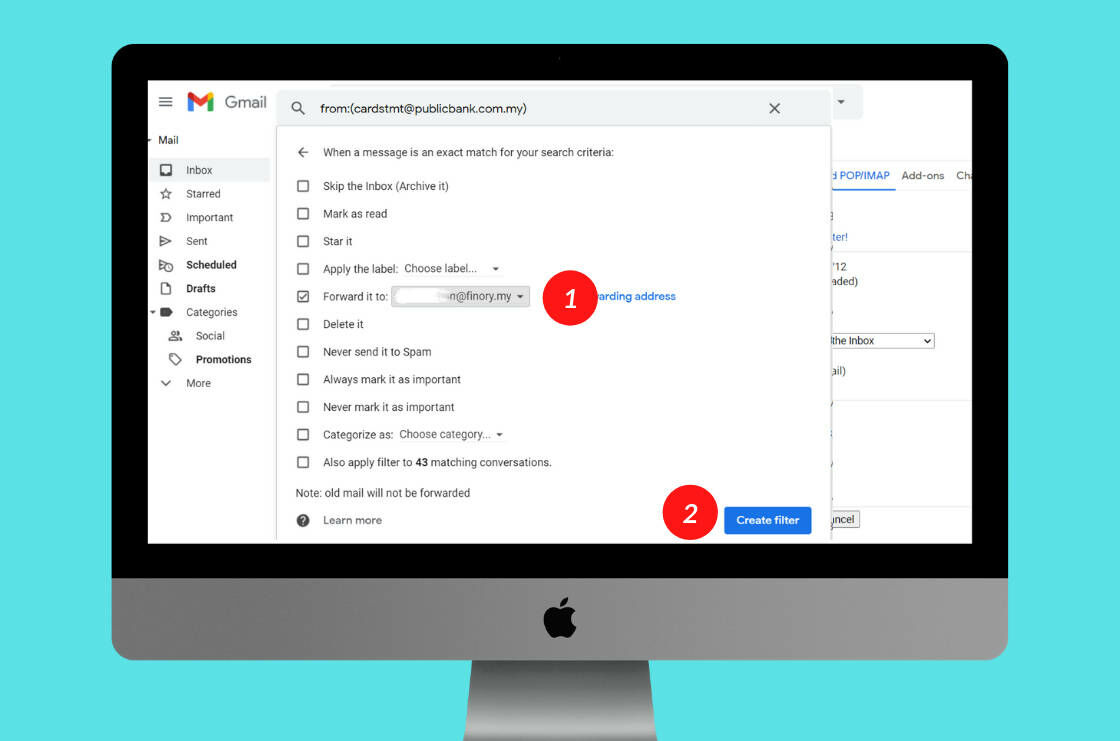
Step 6.2: Create a filter.
Step 6.3: Select the forwarding address.
Step 7: Verify your setup.